My Unraid Server: Storage, Docker and Self-Hosted Applications
How my Unraid NAS is set up: 64TB of unprotected hard drives, four NVMe pools, a GPU for transcoding, and why I picked Unraid over TrueNAS.
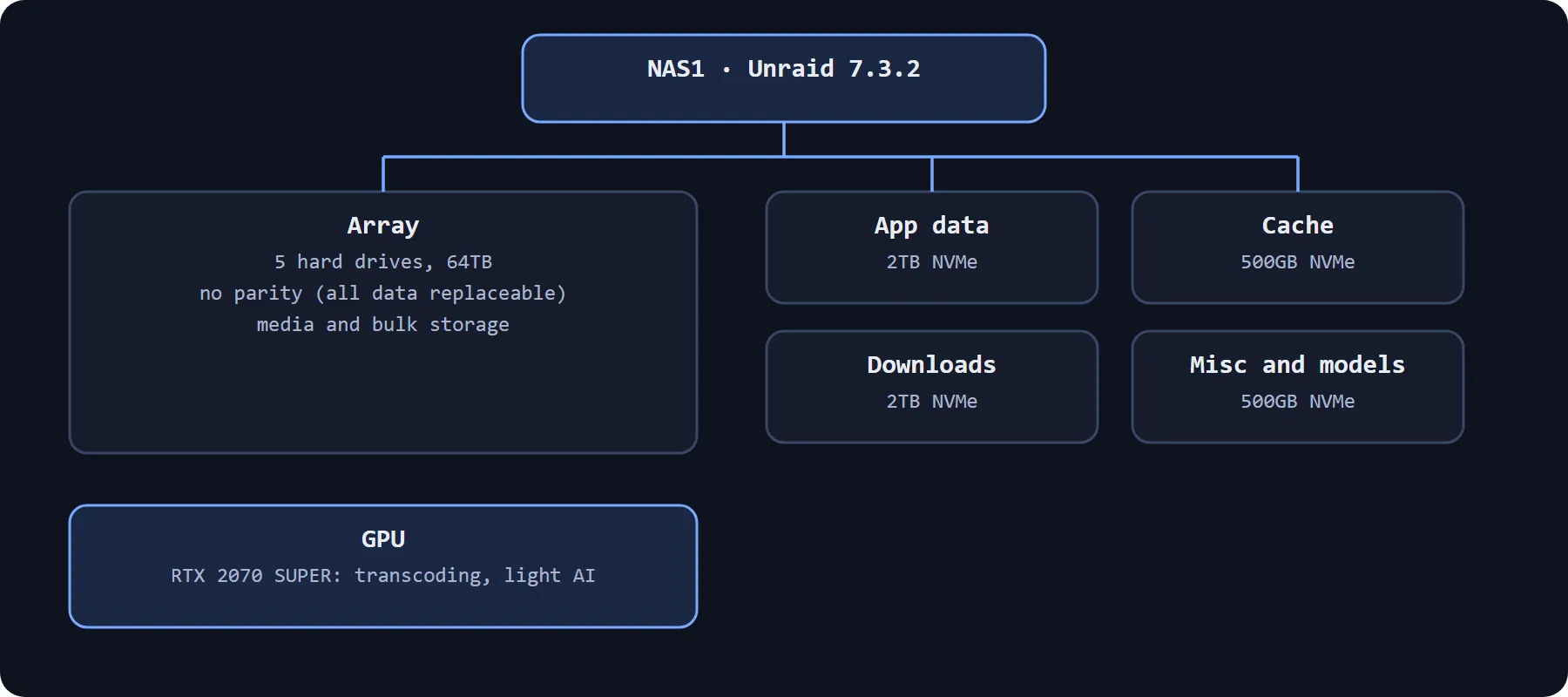
NAS1 is the storage and Docker server in my homelab. It runs Unraid 7.3.2 on an Intel Core i7-12700K with 64 GiB of DDR4 on an MSI PRO Z790-P WIFI DDR4 board. Here is how I have set it up and why.
Storage layout
- Array: five hard drives making up 64TB
- App data pool: 2TB NVMe
- Cache pool: 500GB NVMe
- Downloads pool: 2TB NVMe
- Miscellaneous and models pool: 500GB NVMe
Each NVMe pool has one job.
No parity, on purpose
The array has no parity drive. Parity protects data you cannot afford to lose, and nothing on this array falls into that category. Everything on it can be replaced, so I would rather have the full capacity of every drive.
That suits me, but it would be a poor choice for anyone storing irreplaceable files. If a drive fails, whatever was on it is gone, and Unraid does not change that without parity.
The GPU
An NVIDIA RTX 2070 SUPER does media transcoding and some light AI work.
Why Unraid
Unraid makes a JBOD-style setup simple: mixed drives, no matched sets, and Docker built in. It is also mature. I used TrueNAS before. It was not right for what I wanted from a server, and I was not a fan of its use of K3s.
What runs on it
Mostly Docker containers: media, automation, file processing, monitoring and small utilities. I have written about the ones I like most in my favourite self-hosted applications.
What I would change
The network is the weak point. I would like faster wired speeds and better Wi-Fi, and I am looking at 10Gb networking.
Comments